Grocery list template: the complete list to copy and paste
From produce to personal care, in store order: copy it, paste it into Experto, check it off on your phone and share the shopping at home.
This complete grocery list follows the way through the store, from produce to personal care, and it's ready to copy and paste into Experto. On your phone, you check off what's already in the cart, and whoever lives with you sees it right away.
Never pasted a list into Experto? The step by step on how to paste multiple tasks at once shows the rules, with examples.
Why take a grocery list
With the list in hand, you buy what you need and forget less. The Dietary Guidelines for the Brazilian Population, from Brazil's Ministry of Health, recommend making a shopping list and sticking to it at the supermarket.
Fruit and vegetables don't last a whole month, though. That's why it pays to keep two lists:
- Monthly shop: pantry, cleaning and personal care, which last longer.
- Weekly market: produce and bread, which run out fast.
The complete grocery list, by store section
Click Copy list and paste it into one of your lists: each line becomes an item. The order follows the store sections, and the blank lines, which only separate the sections, go away when you paste.
Bananas
Apples
Oranges
Limes
Tomatoes
Onions
Garlic
Potatoes
Carrots
Zucchini
Lettuce
Fresh herbs

Ground beef
Steak
  Top round or sirloin
Chicken breast
Chicken thighs and drumsticks
Sausage
Fish fillets

Milk
Yogurt
Mozzarella cheese
Ham
Butter
Cream cheese
Eggs
  1 dozen

Bread rolls
Sliced bread

Rice
  Large bag
Beans
Pasta
Tomato sauce
Cooking oil
Olive oil
Salt
Sugar
Coffee
Flour
Oats
Crackers
Canned corn
Canned tuna
Spices

Bottled water
100% juice

Dish soap
Sponges
Laundry detergent
Fabric softener
Bleach
Disinfectant
All-purpose cleaner
Trash bags
Paper towels

Toilet paper
Bar soap
Shampoo
Conditioner
Toothpaste
Toothbrush
Dental floss
Deodorant
Remove what you don't use and add your household's brands. The quantity goes on a line with a space in front, like the rice and the eggs, and becomes the item's description.
How to use the list at the store
The monthly list starts complete, and you leave open only what's missing.
- Create a list called Groceries, with New list.
- Paste the whole list into the New item field.
- Before you leave, mark as done what you still have at home.
- At the store, tap each item as it goes into the cart.
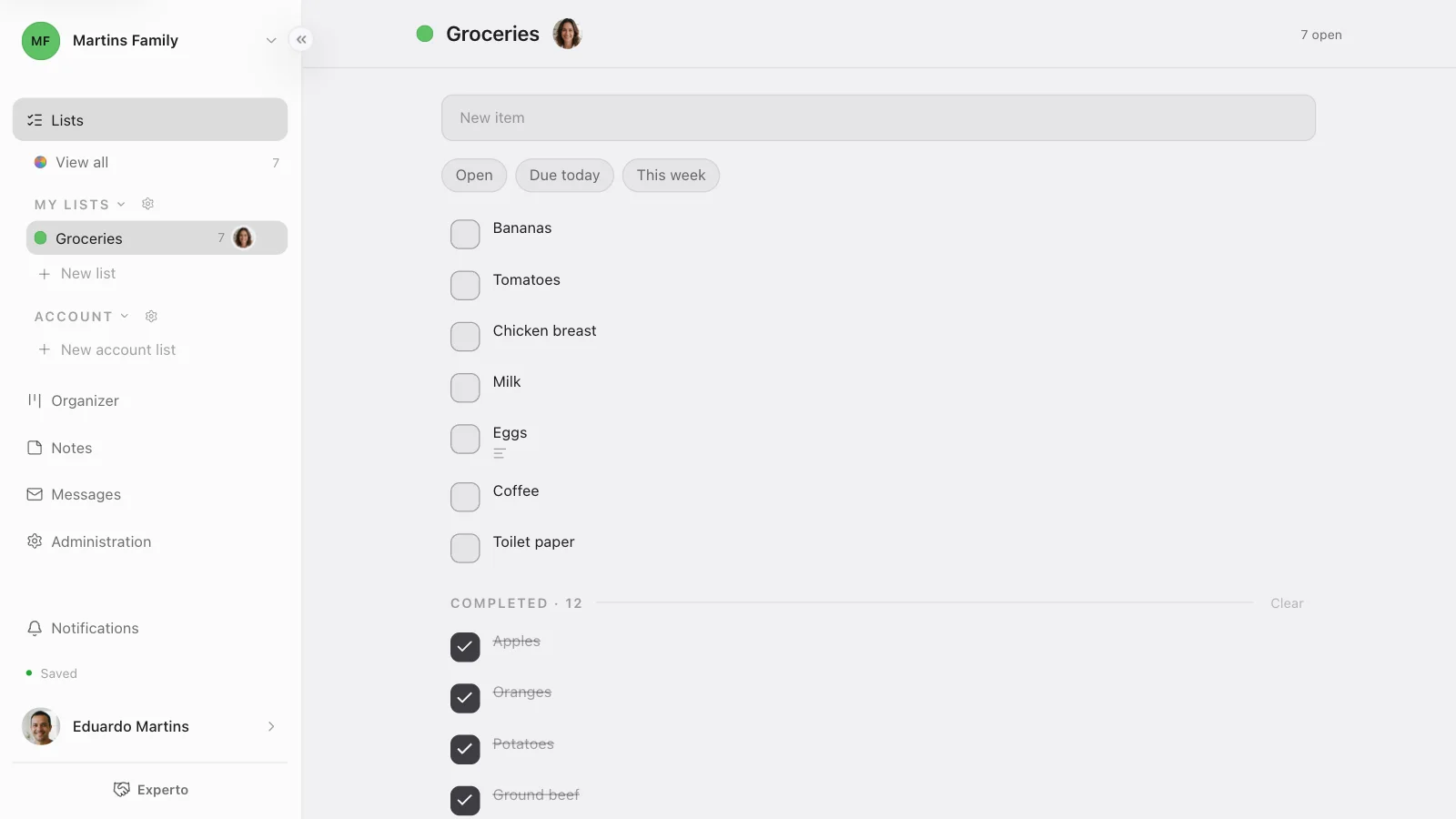
On your phone, open the same list in the task app for iPhone or in the browser. What you check off in one place shows up checked everywhere.
Share the list with whoever lives with you
Share the list and everyone adds what ran out, the moment it runs out. Out of coffee? Whoever noticed unchecks the coffee in Completed, and it's back on the list of whoever goes shopping.
- Invite the person in Administration › People.
- In the list menu, open Edit list.
- Under Sharing, choose Specific people, check whoever lives with you and pick Everyone can edit.
While you shop, whoever stayed home sees what's already in the cart. Experto is free forever for up to 2 members, and the personal organization page shows how to bring in the whole family.
Reuse the grocery list next month
What you bought stays in Completed, ready to come back. Next month, use Select, mark what ran out and click Reopen. Avoid Clear, which takes the completed items off the list.
Organizing other things at home? The blog also has the travel checklist, the kids' birthday party checklist and the moving checklist, all in the same format.
Frequently asked questions
What should never be missing from a grocery list?
The pantry basics (rice, beans, pasta, oil, salt, sugar and coffee), the week's fruit and vegetables, a protein, milk and eggs, plus toilet paper, soap and dish soap.
Printable grocery list or phone?
Paper works, but it doesn't tell anyone anything. On the phone, the shared list shows what's already been bought and gets what ran out at home while you're still at the store.
How do I put together the monthly grocery list?
Start with the complete list above, remove what you don't use and mark what you still have at home. Whatever is left open is your monthly shop.
Ready to retire the sticky note on the fridge door? Create your free account, paste the list and bring in whoever lives with you.